

Used Tesla Charging and Battery Health Tips for Parma, OH Drivers
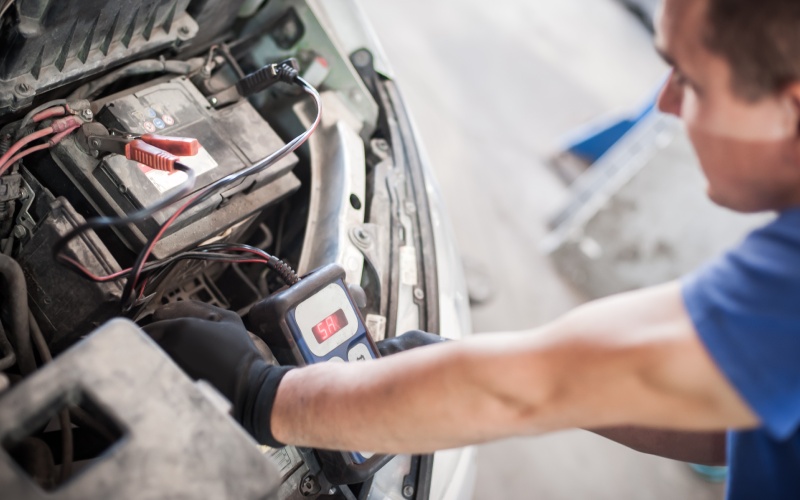
North Coast Mitsubishi Bedford – Used Tesla Charging and Battery Health Tips for Parma, OH Drivers
Shopping for a used Tesla is exciting—instant torque, smart software, and the convenience of home charging are a hard combination to beat. Still, the most common question we hear is simple: how do I judge battery health and charging confidence before I buy? This guide walks through practical steps that help online shoppers understand what matters, what’s normal for a used EV, and how to set up a charging routine that makes daily life easier in and around Parma, OH.
Electric vehicles age differently than gas cars. Fewer moving parts mean fewer routine services, but the high-voltage battery is a new component for many first-time EV buyers. The good news is that Tesla packs are engineered with thermal management to support longevity in both hot summers and chilly Great Lakes winters. A little know-how—paired with the right questions—goes a long way toward picking the right vehicle and enjoying it from day one.
Why battery health matters—and what’s normal on a used Tesla
Every lithium-ion pack gradually loses some capacity over time. On most used Tesla sedans and crossovers, a modest reduction in estimated range is normal and doesn’t prevent confident everyday use. What you want to see is a stable pattern, evidence of routine charging habits, and an owner who avoided frequent, back-to-back DC fast-charging sessions when they weren’t necessary. None of those factors are deal-breakers by themselves, but they provide context for typical capacity changes.
Tesla’s Battery Management System (BMS) estimates available capacity and presents a projected range on the display. Because driving style, temperature, elevation, and wheel/tire selections all influence efficiency, think of the estimate as a helpful forecast, not a fixed guarantee. Your real-world results will vary, and that’s expected.
How to read the signals: data points worth reviewing
If you’re browsing online, look for screenshots or photos of the charge screen showing the current state of charge and projected range. Ask whether the owner or dealer can share recent data from the vehicle settings that indicate typical charge limits—many drivers set a daily limit around 80 to 90 percent, which is a healthy habit for long-term pack life. Occasional 100 percent charges for road trips are fine; everyday 100 percent charges are generally unnecessary.
Charging port condition and included accessories also matter. Confirm the presence of the Mobile Connector and any adapters you may need for a 240-volt outlet at home. Check for a clean, undamaged charge port and, if possible, a recent software version noted in the vehicle’s menu—Over-the-Air updates can improve charging behavior and range estimation.
Smart steps to evaluate a used Tesla online
- Battery screen photos: Request a recent photo of the charge screen that shows projected range at a known state of charge.
- Charging habits: Ask how the vehicle was typically charged—home Level 2 most days with occasional DC fast charging is a great answer.
- Thermal management: Inquire whether the owner used preconditioning before fast charging or cold-weather drives, which supports healthy charging speeds.
- Software and features: Verify current software version and available driver-assistance features, since updates can refine charging, efficiency, and safety prompts.
- Cables and adapters: Confirm the Mobile Connector, wall plug adapters, and any J1772 adapter for public Level 2 stations are included.
A short test drive can also reveal a lot. Regenerative braking should feel smooth and consistent, and the vehicle should have no unusual vibrations under acceleration or deceleration. If you’re new to one-pedal driving, it may feel different at first; that’s normal and quickly becomes second nature.
Home and public charging setup, simplified
Most used Tesla owners rely on Level 2 home charging to keep daily life simple. A 240-volt circuit—similar to what powers an electric dryer—can typically add dozens of miles of range per hour, depending on your setup. Many households schedule charging overnight to start each day “full” without thinking about it. Public Level 2 charging is a convenient supplement at workplaces or shopping centers, while DC fast charging supports road trips and time-sensitive top-ups.
Cold weather is a fact of life in Northeast Ohio. Fortunately, preconditioning—warming the battery before a quick charge or a subfreezing drive—helps protect charging speeds and keeps the cabin comfortable. Use the Tesla app to start preconditioning while the car is still plugged in at home, and you’ll step into a warm cabin with a battery that’s ready to go.
- Install or verify Level 2 power: Work with a qualified electrician to add a 240-volt circuit or confirm your existing outlet and breaker are compatible.
- Set a daily charge limit: In the Charge menu, choose a limit around 80–90 percent for routine use; save 100 percent charges for trips.
- Schedule charging: Use Scheduled Charging to start after peak hours if your utility offers time-of-use savings.
- Precondition smartly: In winter, precondition while plugged in to preserve range and improve charging performance.
- Map your public options: Save a few nearby Level 2 and fast chargers in your favorites for backup flexibility.
Frequently Asked Questions:
How much range loss is typical on a used Tesla?
It’s normal to see a modest reduction versus the original EPA estimate. Driving style, climate, wheel size, and charging patterns influence the number. Focus on consistent performance rather than a single snapshot.
Does fast charging harm the battery?
Occasional DC fast charging is fine and expected on road trips. Making it your only charging method can add heat and stress; most owners rely on Level 2 at home and use fast charging as needed.
What’s the benefit of preconditioning?
Preconditioning optimizes battery temperature for charging and driving. In cold weather, it helps maintain charging speeds and cabin comfort while preserving range.
Can software updates improve efficiency?
Over-the-Air updates can refine thermal control, charging logic, and range estimation. Real-world gains vary, but updates keep features current and may deliver incremental improvements.
How do I choose the right home charging setup?
A 240-volt Level 2 solution at home offers the best convenience. Work with a licensed electrician to confirm circuit capacity, then select a compatible outlet or wall connector that matches your needs.
When you’re ready to shop, look for clear battery and charging details, complete accessory sets, and transparent history reports. One careful review now pays off with easy, drama-free ownership later. That’s the beauty of EV life—you plug in, wake up charged, and get on with your day.
If you want guidance tailored to your routine, North Coast Mitsubishi Bedford can walk through battery health signals, charging accessories, and daily setup in plain language—serving Parma, Mayfield, and University Heights with practical advice and a thoughtful selection. The right used Tesla should make each mile simpler, not more complicated, and the best time to set up that simplicity is before your very first drive.
0 comment(s) so far on Used Tesla Charging and Battery Health Tips for Parma, OH Drivers